
QR Menu Systems: Everything Restaurants and Cafés Need to Know
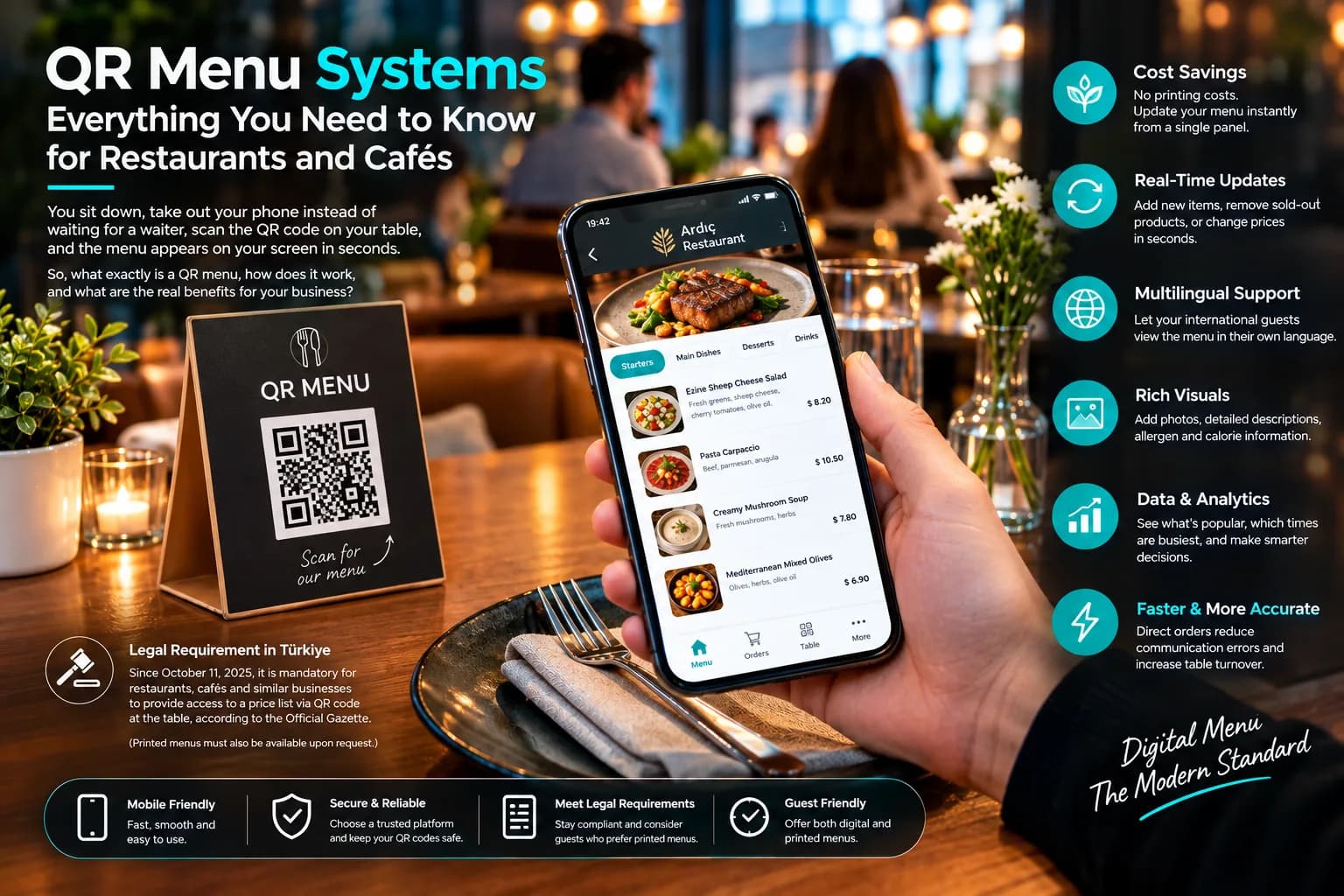
You sit down, and instead of waiting for a waiter you pull out your phone, scan the small code on the table, and the menu appears on your screen within seconds. What felt new a few years ago is now a standard part of many cafés and restaurants. So what exactly is a QR menu, how does it work, and what does it really give your business? This article covers the topic in plain language, including both the advantages and the points to watch out for.
What Is a QR Menu?
A QR menu is a digital menu that opens in the browser when a customer scans a code placed on a restaurant or café table with their phone. "QR" stands for "Quick Response". You can think of it as the digital, instantly updatable, multilingual version of the classic printed menu.
Its most important trait is that it's web-based: customers don't have to download an app or sign up. The phone's standard camera app reads the code, a link opens, and the menu appears. It's that simple.
How Does It Work?
The technical side shouldn't sound intimidating; the logic is quite simple. A QR code is a two-dimensional code that mostly holds a web address (URL). When the customer scans it, the phone opens that address and reaches the menu page. There's an important distinction to know here: static and dynamic QR codes.
- Static code: The information inside is fixed. If you want to change the menu, you have to generate and print the code again.
- Dynamic code: The printed code never changes, while the menu behind it can be updated whenever you like. You don't need to replace the code on the table to change a price, add an item or start a promotion.
This dynamic structure is what creates the real value for businesses. Some systems also offer features like ordering from the table and contactless payment (for example, paying by phone).
Main Advantages
There are concrete benefits behind how quickly QR menus have spread:
- Printing costs drop to zero. When prices change often, you don't have to go to the print shop every time; updates are made instantly from a single dashboard.
- Instant updates. Removing a sold-out item or adding the daily special takes seconds.
- Multilingual. Foreign guests can see the menu in their own language. For businesses in tourist areas this directly affects both the experience and sales.
- Visual richness. Every item can carry a photo, a description, even allergen information. Together with an appetizing presentation, this makes upselling easier.
- Data and analytics. Information like how many times each item was viewed and which hours are busiest can never be obtained from a printed menu. A QR menu collects it automatically.
- Speed and accuracy. When orders are placed directly from the digital menu, miscommunication drops and table turnover speeds up.
Drawbacks and Things to Watch Out For
A QR menu isn't a cure-all. To make a good decision you need to know the downsides too.
Accessibility: Not everyone has a smartphone, and not everyone is equally comfortable with technology. Scanning a code can be difficult, especially for older guests. Surveys show that many customers still prefer a printed menu, and that this tendency is even stronger among older age groups. Removing the physical menu entirely therefore risks leaving some customers out.
Connection and design problems: If the menu loads slowly, the signal in the venue is weak, or the page is a PDF not optimized for mobile, the experience quickly becomes frustrating. A badly designed QR menu is worse than no menu at all.
Security and privacy: Malicious people can stick a fake label over the real code and redirect customers to a harmful site. That's why it's important to use a trustworthy platform and check the codes on your tables regularly.
The Legal Situation in Türkiye
In Türkiye, a QR menu is no longer just a preference; to some extent it has become a legal requirement. With the Price Tag Regulation published in the Official Gazette on 11 October 2025, businesses such as restaurants, cafés and patisseries are required to provide access to the price list via a QR code at the table.
However, note that this regulation doesn't eliminate the physical menu. Businesses must also provide a printed price list on customer request. Requirements such as allergen, ingredient and calorie information are also expected to phase in gradually. Since legal details may change over time, it's best for businesses to rely on the official regulation and the Ministry of Trade's current announcements.
Tips for a Good QR Menu
- Optimize your menu for mobile; it should open fast and not need a large screen.
- Present the code on a stand or table card that is easy to see and doesn't reflect light.
- Choose a trustworthy platform and make sure no fake labels have been stuck over your codes.
- Keep a few printed menus on hand to meet the legal requirement and to look after guests who are less comfortable with technology.
- Keep the menu up to date; remove sold-out items and review prices regularly.
Conclusion
Set up properly, a QR menu gives a business speed, flexibility, cost savings and valuable data. Implemented badly, it can tire customers and damage the experience. The essence is in the details: a mobile-friendly and elegant design, a reliable infrastructure, and an inclusive approach that offers QR and printed menus together. Businesses that combine these three can turn the digital menu from an obligation into a real competitive advantage.